
Features · Floor, POS & kitchen

The floor, the till, the kitchen. One app.

Draw your room once and watch it live. Run tabs with staff PINs on a phone or tablet, send each round to the kitchen board and the printer, and send the bill to the guest’s phone.

Or chat with us on WhatsApp

Built for a full room

For the till, the kitchen board and the printer
1 app
The till keeps taking cash orders when the internet drops
Offline
Or tablet: no special hardware to buy
Any phone

The problem

Three systems. One service.

The booking is in one place, the order in another and the bill on paper. The kitchen shouts, the floor guesses, and at the end of the night nobody is sure which table paid what.

The door

Who’s on which table?

A paper floor plan and a booking list that never quite match the room.

  • Paper floor plan
  • Booking book
The till

The bill takes forever.

Orders typed in twice, and a queue to pay at the end of the night.

  • Till
  • Card machine
The kitchen

Tickets get lost.

Handwritten orders, shouted changes, and a second round made twice.

  • Paper tickets
  • WhatsApp group

The floor, the till and the kitchen should be one system.

01 · The floor

Your room, drawn once, live all night.

Draw your floor with round, square, oval and booth tables, the bar and the walls, for every area of the venue. On the night, every table shows seated, upcoming or over its time, with how full the room is.

  • Floor plans for every area
  • Seated, upcoming and over-turn at a glance
  • Seat walk-ins across one or more tables
See reservations & deposits

02 · The till

Tabs, rounds and PINs, on a phone or tablet.

Open a tab on a table and add rounds as the night goes on, with extras and kitchen notes. Every member of staff signs in with their own PIN, the deposit comes off the bill, and the bill goes to the guest’s phone by WhatsApp or email.

  • Tabs with rounds, extras and notes
  • A PIN for every member of staff
  • Send the bill to the guest’s phone
Get a demo

03 · The kitchen

A ticket for every round, on the kitchen board.

Each round goes to the kitchen board on a phone or tablet, and to your printers as a docket per station. Tickets ring when they arrive and change colour as they wait, and a second round is marked so nothing is made twice.

  • Kitchen board in the Dinesurf app
  • Dockets per station, on Wi-Fi or Bluetooth printers
  • Tickets coloured by how long they’ve waited
See online ordering

04 · The end of the night

Keep serving offline, and know what you sold.

If the internet drops, the till keeps taking cash orders and syncs them when it’s back. Closed orders, sales and payment methods are there for each day, and your AI staff can brief you on the night before it starts.

  • Cash orders keep going offline
  • Closed orders and sales for every day
  • A briefing on the night from ChatGPT, Claude or Gemini
See CRM & newsletters

From our restaurants

One system, from the door to the bill

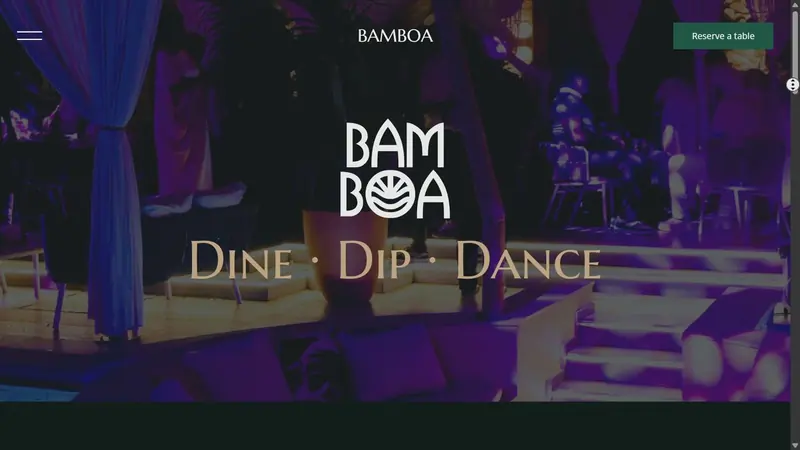
  • The BamBoa website at bamboalagos.com

    How BamBoa collected nearly ₦240M in table deposits in ten months using Dinesurf

    BamBoa turned Instagram demand into deposit-backed table bookings, and runs every guest, walk-in and booking through one system.

    Deposits in ten months
    ~₦240M
    Deposits, last 90 days
    ~₦70M
    Covers booked
    19,600+
    Read case study

Everything in floor, POS & kitchen

The floor

  • Floor plans for every area
  • Round, square, rectangle, oval and booth tables
  • Live table statuses and room fill
  • Over-turn alerts
  • Walk-ins across several tables
  • Block off an area for a private event

The till

  • Tabs with numbered rounds
  • Variants, extras and kitchen notes
  • Staff PINs, and a PIN to void
  • Cash, transfer and your own payment methods
  • Send the bill by WhatsApp or email
  • Deposits and coupons on the bill

The kitchen

  • Kitchen board in the app
  • Start, ready and done
  • Ringing new tickets
  • Dockets per station
  • Wi-Fi and Bluetooth printers
  • Receipts and printed bills

Running the day

  • Cash orders keep going offline
  • Counter mode for a dedicated till
  • Closed orders for each day
  • Sales and order reports
  • Reports by email
  • Briefings and sales breakdowns from your AI

Questions

Floor, POS and kitchen, answered

What do I need to run it?

A phone or tablet with the Dinesurf app for the till and the kitchen board. A Wi-Fi or Bluetooth receipt printer is optional, and you draw your floor plan once from a computer.

How do guests pay?

Record payment by cash, transfer, your card machine or your own methods, or send the bill to the guest’s phone as a payment link by WhatsApp or email. The tab closes itself when it is paid.

What happens if the internet goes down?

The till keeps taking dine-in orders and cash payments, and syncs them when you are back online. Card and transfer payments need a connection.

Can every member of staff have their own sign-in?

Yes. Each person has a 4-digit PIN, the till locks after a time you set, and voids can require a PIN. Every order records who took it.

Can I see the floor plan on a tablet?

The drawn floor plan is on the web dashboard. On a phone or tablet, the same tables and statuses show as a list, ready for seating walk-ins.

One plan

Everything on this page, in one plan.

No stack of six tools and six bills. One subscription for the whole guest journey, from the first search to the second visit.

See every tier

Standard plan

Everything included

₦68,000a month

Priced in naira for Nigeria. $82 a month in every other market. For full-service restaurants, lounges and hotels.

  • Website and domain
  • Bookings, deposits and events
  • POS and kitchen
  • Guestbook, newsletters and automations
  • 1,000 newsletter sends a month, up to 30,000 on higher tiers
  • AI staff in ChatGPT, Claude, Gemini and more
Ghost kitchen, catering or delivery-only brand? See its plan

Explore Dinesurf's other features...

Booking

Operations

Your guests, all the way round.

Every guest seated, served and paid lands in one Guestbook, ready for their next visit.